

Updated October 2026: This guide reflects the latest AI capabilities, integration ecosystems, and industry trends as of March 2026.
Monday morning after a storm system moves through: 17 missed calls from homeowners with damage, two crews texting for their assignments, and a stack of Friday estimates that still haven’t gone out. Your lead list lives in a spreadsheet, your schedule is on a whiteboard, and whatever photos your crews took are buried in a group text. By the time you’ve figured out what’s happening, two of those homeowners have already booked someone else.
That’s what roofing contractor software is built to prevent. We looked at 8 platforms that come up most often when contractors evaluate their options, focusing on the factors that separate software your team actually uses from software that collects dust after the onboarding call.
The Best Roofing Contractor Software in 2026
The factors we looked at across all 8 platforms:
- All-in-One Functionality: Does it handle leads, estimates, scheduling, invoicing, and payments in one system?
- AI & Automation Features: What intelligent capabilities reduce manual work? This includes AI-assisted dispatching, voice-to-text job documentation, automated customer responses, inspection documentation through smart glasses or walkthroughs, and AI-generated job summaries.
- Mobile Accessibility: Can field teams access job details, checklists, and photos offline and on mobile devices?
- Customer Review Score: Average rating across G2 and Capterra
- Integration Ecosystem: Does it connect with QuickBooks, measurement tools, and other essential apps?
- Ease of Use: How quickly can teams get up and running?
- Specialty: Roofing-specific vs. general field service focus
In the table below, we break down how each platform stacks up across the key factors most important to roofing contractors.
| Software | All-in-One Functionality | AI Features | Mobile Access | Avg. Review Score | Integration Ecosystem | Specialty | |
|---|---|---|---|---|---|---|---|
| 1 | Zuper | Covers lead to payment | AI Voice Notes, Dispatch Assistant, CSR Agent, Zuper Sense, Zuper Glass | Offline-capable iOS/Android app | 4.6/5.0 | 60+ integrations | Roofing-focused management |
| 2 | AccuLynx | Very Strong | AI lead intelligence and automation | Full mobile access | 4.5/5.0 | Strong roofing integrations | Roofing-specific |
| 3 | ServiceTitan | Enterprise- grade | AI data insights, Titan Intelligence suite | Full mobile suite | 4.4/5.0 | Extensive ecosystem | Multi-trade management |
| 4 | JobNimbus | Strong CRM | Scout AI (closed beta), AssistAI, workflow automation | Mobile app available | 4.6/5.0 | Large integration library | Roofing & construction |
| 5 | RoofSnap | Estimation- focused | Limited AI | Mobile app | 4.7/5.0 | Key measurement tools | Roofing estimation |
| 6 | Jobber | General management | AI Receptionist, AI Voice, basic automation | Mobile app | 4.6/5.0 | Good integration support | Multi-service management |
| 7 | Leap | Sales-focused | Limited AI | Mobile app | 4.4/5.0 | EagleView, Hover, ABC Supply, SRS Distribution | Residential in-home sales |
| 8 | Roofr | Estimate to payment | AI satellite estimation | Mobile app | 4.7/5.0 | CompanyCam, QuickBooks | Residential volume estimating |
Best Roofing Contractor Software by Category
Different roofing companies have different priorities. Use these category rankings to find the platform that matches your specific needs and growth stage.
We’ll be transparent: Zuper leads several of these lists. We built the platform to lead on AI, workflow automation, and operational coverage, so that’s not a surprise. In the categories where we don’t rank first, another platform has a genuine structural advantage for that specific use case, and we’d rather say so than bury it.
Best Overall Roofing Contractor Software
- Zuper: Full lead-to-payment platform with automation built throughout and 60+ integrations
- AccuLynx: Roofing-specific since 2008, with deep production tracking
- ServiceTitan: Enterprise-grade for multi-trade operations
Best for Growing Roofing Companies (5–20+ Crews)
- Zuper: Scales with Dispatch Asisstant crew shortlisting and multi-location support
- AccuLynx: Strong production visibility and material ordering workflows
- ServiceTitan: Handles complex multi-location operations
Best for AI and Automation
- Zuper: AI Voice Notes, Dispatch Assistant, CSR Agent, Zuper Sense, and Zuper Glass
- ServiceTitan: AI-powered data insights and marketing automation via Titan Intelligence
- JobNimbus: Scout AI (closed beta) for field voice commands and AssistAI for automated call handling
Best Value for Budget-Conscious Contractors
- Jobber: General field service platform with solid core functionality and a low barrier to entry
- JobNimbus: Flexible pricing tiers with strong customization
- RoofSnap: Affordable estimating-focused solution
Best for Insurance Restoration
- AccuLynx: Purpose-built for insurance restoration, with production boards designed around the supplement and claim process and direct supplier ordering from ABC Supply and SRS Distribution
- Zuper: Real-time inspection documentation and the 24/7 CSR Agent reduce claim delays and capture leads during storm surges
- ServiceTitan: Enterprise-level claim tracking and reporting within a full multi-trade platform
When to Choose Each Platform
- Choose Zuper if: You’re managing multiple crews, consolidating several tools into one, or scaling toward multi-location operations and want AI automation built into the platform from the start. It’s a bigger system that takes real onboarding. If you’re running 2–3 jobs a month as a solo operator, start with something simpler and revisit when you’re ready to scale.
- Choose AccuLynx if: You’re an established roofing-only company running high volumes of insurance work and need deep production tracking and supplement management. Best for contractors who want roofing-specific features built around the insurance workflow.
- Choose ServiceTitan if: You run multi-trade operations with 40+ technicians across multiple locations. Best for large enterprises that need call center management, marketing ROI tracking, and Gantt chart scheduling.
- Choose JobNimbus if: You need maximum customization flexibility for sales pipelines and workflows. Best for contractors who want to tailor their CRM to unique business processes.
- Choose RoofSnap if: You prioritize fast, accurate aerial measurements and estimating. Best for contractors with existing CRM systems who need specialized estimating tools.
- Choose Jobber if: You run a smaller multi-trade operation (1–10 crews) across various home services. Best for budget-conscious contractors who need solid fundamentals without enterprise complexity.
- Choose Leap if: Your primary challenge is converting in-home estimates. Best for residential sales-first operations, where the moment a rep stands in a homeowner’s kitchen determines whether you win the job.
- Choose Roofr if: You run residential replacement volume and need to go from an address to a signed proposal fast. Best for operations where speed from first contact to payment matters more than crew dispatch features.
Platform Reviews
1. Zuper, for AI-Powered All-in-One Roofing Management
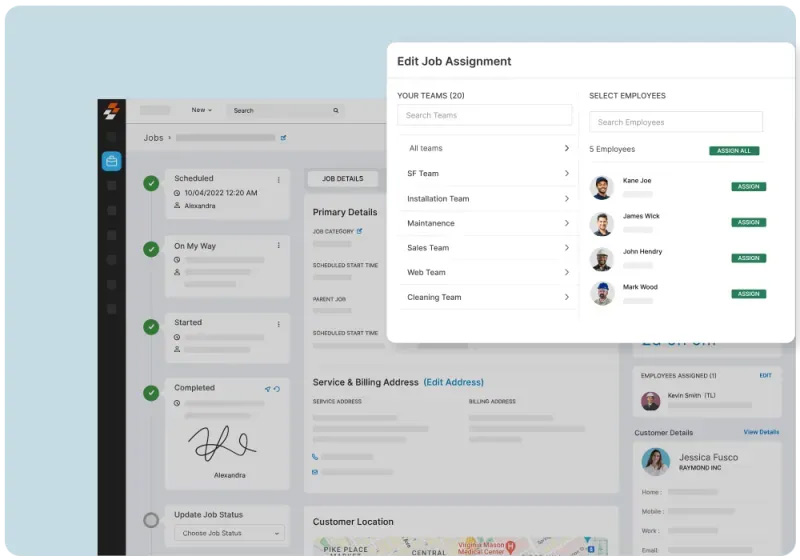
Zuper centralizes lead capture, estimates, scheduling, production management, and payment collection in one platform built specifically for roofing. The platform includes AI Voice Notes for hands-free field documentation, the Dispatch Assistant, which shortlists the best-fit crew for each job so your dispatcher can assign in seconds, and the CSR Agent, which answers inbound calls 24/7, books jobs, and texts quote, invoice, and payment links. Zuper Sense gives owners a live view across all active jobs, and Zuper Glass lets crews document inspections hands-free with photos and voice notes syncing directly into the job record. The platform connects to 60+ tools, including QuickBooks, HubSpot, Hover, GAF, and SRS Distribution.
The platform requires meaningful upfront investment. There’s more to configure than simpler options, and contractors who skip onboarding tend to underuse the AI features. Zuper fits best when you’re managing multiple crews or consolidating several tools into one. If you’re a solo operator running a handful of jobs a month, RoofSnap or Roofr will get you moving faster.
Average Review Score: 4.6/5.0 (Capterra: 4.5, 55 reviews; G2: 4.7, 152 reviews)
| Summary of Online Reviews |
|---|
| Customers highlight Zuper’s ease of use and flexibility, noting that it “bring[s] more structure and visibility to work orders, scheduling, and job tracking” and that the mobile app “gives technicians easy access to work orders, customer details, and updates while on-site.” Common criticism is that “the backend management side can also feel a bit overwhelming when you are first trying to customize the settings and workflows.“ |
2. AccuLynx, for Established Operations Seeking Depth
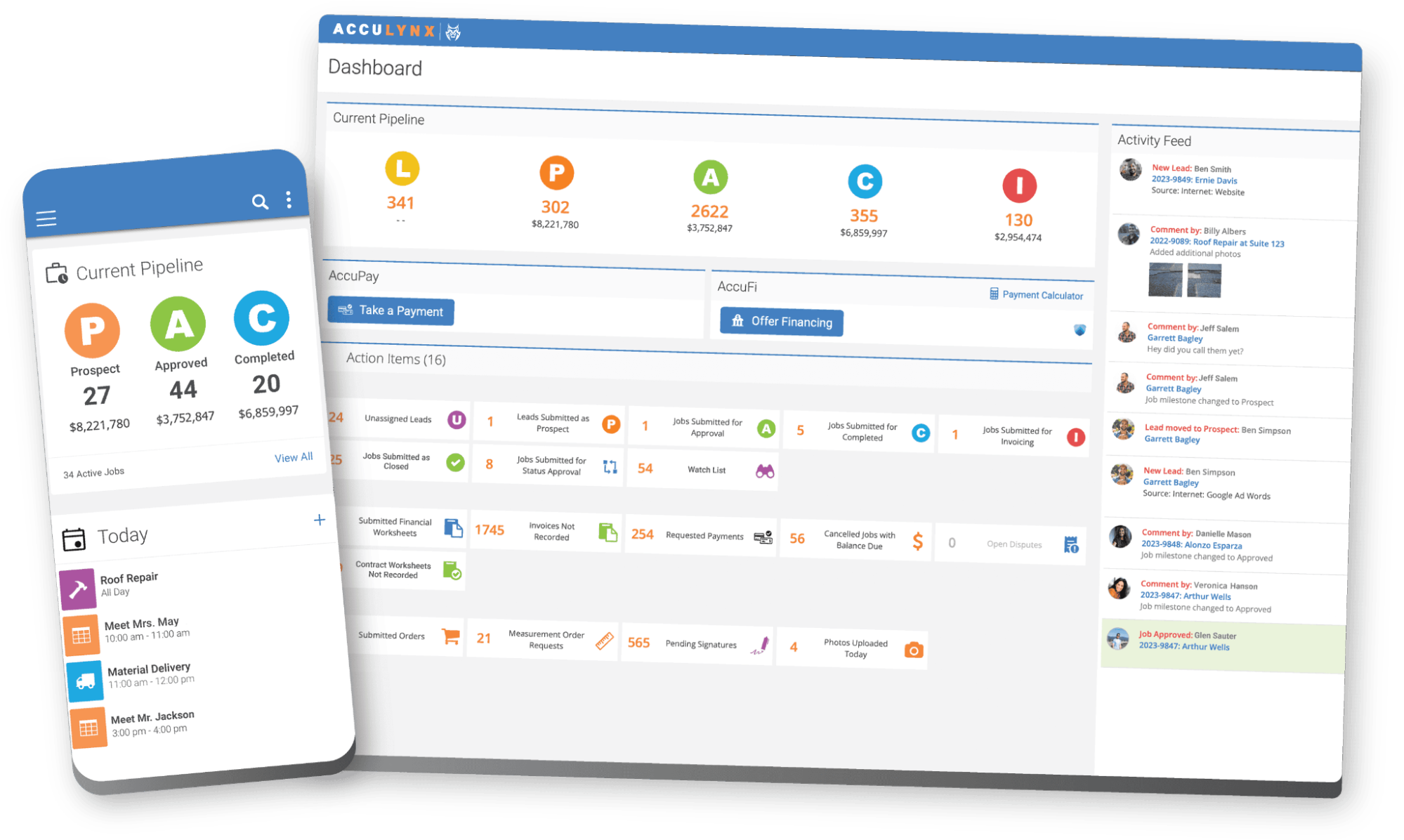
AccuLynx has served the roofing industry since 2008 and offers one of the most complete feature sets available. It covers lead management, sales workflows, production tracking, material ordering, supplement management, and financial reporting in a single platform. Its direct connections to suppliers like ABC Supply and SRS Distribution make it a practical fit for operations where the supplement process with adjusters is a daily workflow. AccuLynx tracks claims through production stages designed to mirror how insurance jobs move: from initial contact and damage documentation through adjuster communication and final check.
AccuLynx’s automation focuses on the office side, covering lead scoring and pipeline prioritization rather than crew documentation or dispatch. If your business involves door-to-door canvassing after hail events, with field reps who need mobile inspection and estimation tools, AccuLynx handles the office side well. You’ll want to check its mobile tools closely against how your reps actually work before committing.
Average Review Score: 4.5/5.0 (Capterra: 4.6, 847 reviews; G2: 4.2, 133 reviews)
| Summary of Online Reviews |
|---|
| Customers appreciate that AccuLynx “keeps everything organized in one place, from documents and permits to customer communication and invoicing,” with users describing it as “simple and easy to learn” with strong customer service. Common criticisms include template flexibility limitations, an interface that can feel dated, and a mobile app that reviewers describe as “a bit laggy at times.” |
3. ServiceTitan, for Enterprise-Scale Multi-Trade Operations
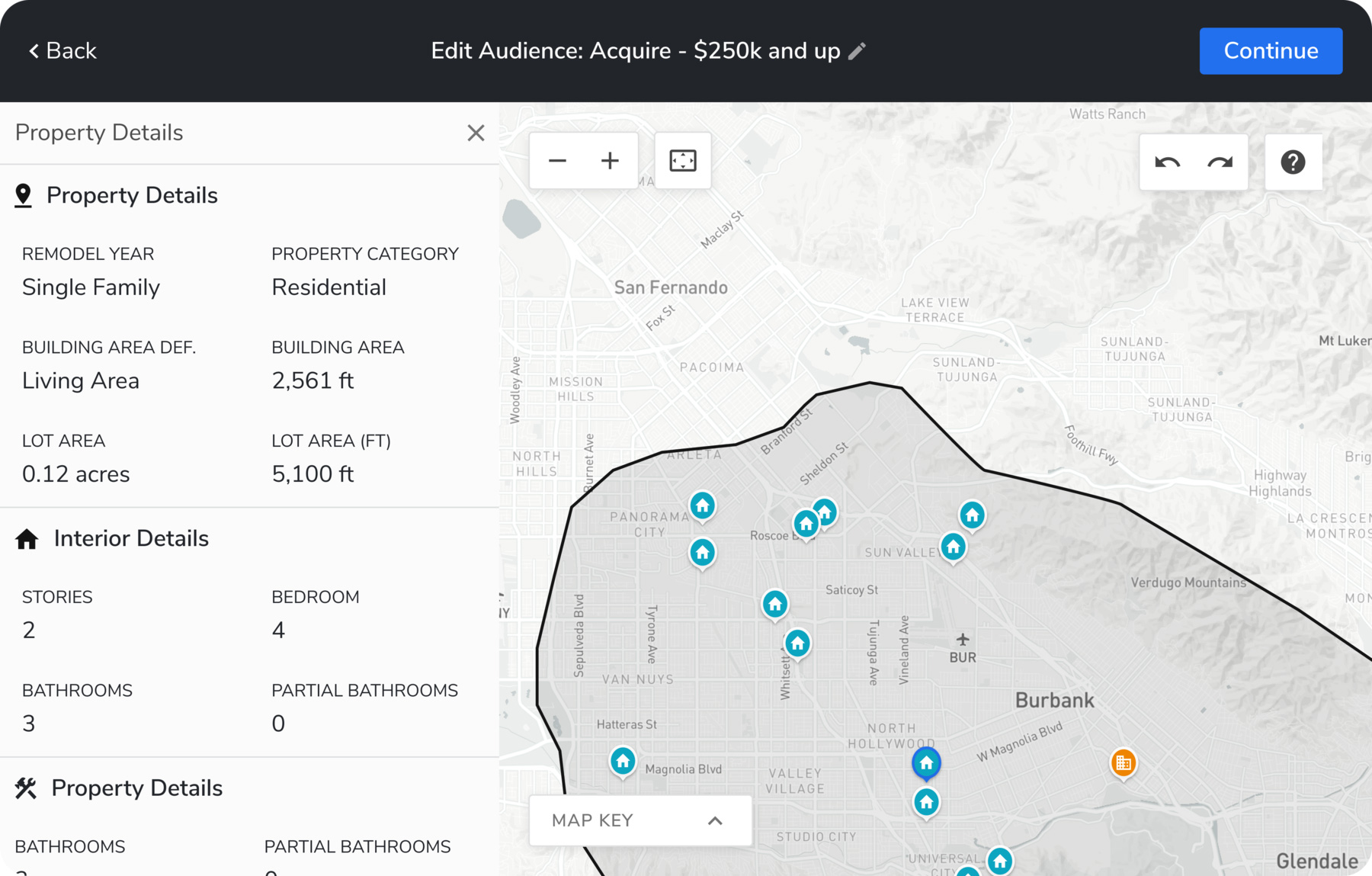
ServiceTitan is a field service platform built to serve home and commercial services contractors, covering roofing alongside a wide range of other trades.It delivers enterprise-level capabilities, including advanced dispatching, call center management, marketing ROI tracking, crew scheduling with Gantt charts, and real-time financial dashboards. Its Titan Intelligence suite includes Atlas (an AI sidekick for every role from field to office), Dispatch Pro (which predicts job value and crew fit), an AI booking agent for automated customer scheduling, and AI-generated invoice summaries. ServiceTitan excels at supporting large organizations running multiple service lines across multiple locations.
The trade-off is complexity. Onboarding often requires 3–6 months with dedicated internal resources. Because ServiceTitan serves multiple trades, its estimating and material management features aren’t as tailored to roofing workflows as purpose-built platforms. For a roofing-only operation, the complexity and implementation timeline will likely feel out of scale with what you’re actually solving for.
Average Review Score: 4.4/5.0 (Capterra: 4.3, 341 reviews; G2: 4.4, 375 reviews)
| Summary of Online Reviews |
|---|
| Contractors value that “ServiceTitan is a beast in that it encompasses everything you could need for your business: customer communication, invoicing, inventory, scheduling, etc.” Reviewers also note it “transformed our company” and helped define processes. Common criticisms include a high price point, a steep onboarding curve (some reviewers note a stressful early implementation), and features that “can be a bit laggy” and difficult to customize. |
4. JobNimbus, for Customizable Project Management
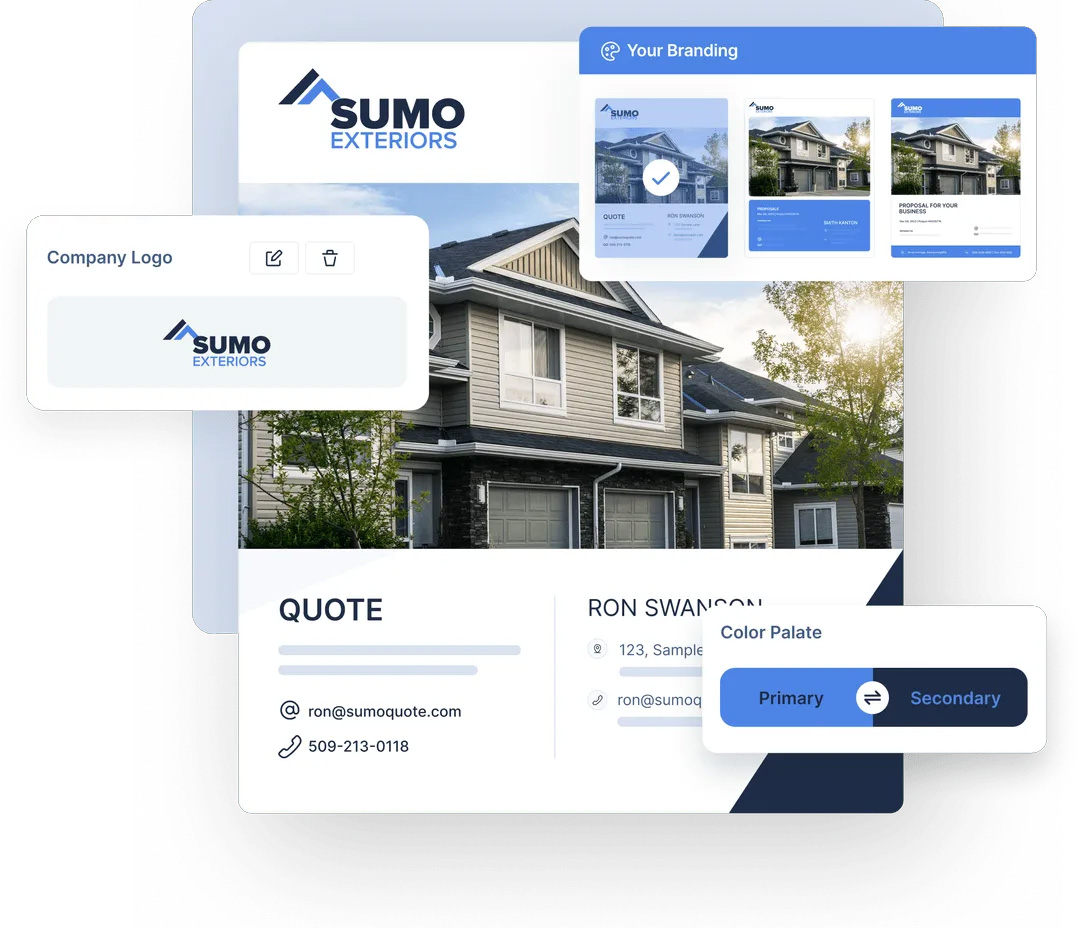
JobNimbus has established a reputation as a flexible, contractor-friendly CRM with strong project boards and effective task management. It allows for significant customization of sales pipelines, job stages, and workflows, making it popular among roofing companies that want to tailor software to their processes rather than adapt to rigid templates. Scout, JobNimbus’s mobile AI assistant (currently in closed beta), lets field crews create and update jobs using natural voice or text commands from the roof, the truck, or between calls. AssistAI handles inbound calls 24/7, capturing leads, answering common questions, and automatically booking appointments.
Users report that JobNimbus requires a significant setup time and note that the interface appears dated compared to newer platforms. Workflow automation is functional but not yet deeply wired into field operations. If you’re running field sales reps who need live estimation on the roof and want those inspection results to flow directly to dispatch, you’ll encounter more manual handoffs than you’d like.
Average Review Score: 4.6/5.0 (Capterra: 4.6, 482 reviews; G2: 4.5, 137 reviews)
| Summary of Online Reviews |
|---|
| Contractors value that JobNimbus “brings everything into one place, especially for managing roofing and exterior projects” and that “the task tracking and workflow automation make it easy to stay on top of jobs from start to finish.” One long-term user called it simply “Best Roofing CRM!” Common criticisms include an interface that “can feel a bit cluttered at times, especially when managing a lot of jobs,” and occasional glitches in profit margin calculations. |
5. RoofSnap, for Fast, Accurate Estimating
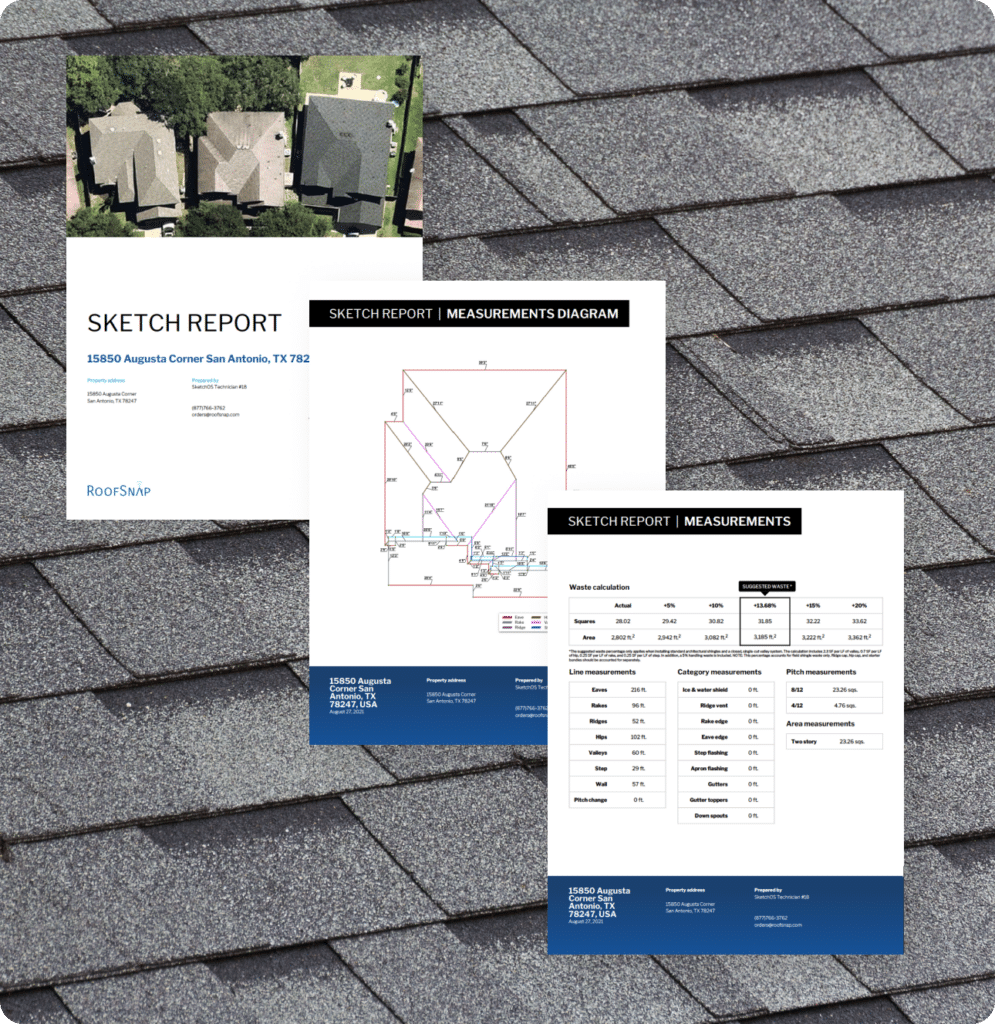
RoofSnap specializes in aerial roof measurements and proposal generation, delivering reports in as little as 30 minutes. It offers detailed measurement diagrams, digital material catalogs with custom pricing, and professional proposal templates that help close deals quickly. For contractors who prioritize speed in the estimating phase, RoofSnap is a proven tool.
The limitation is the scope. RoofSnap primarily functions as an estimating app, rather than a comprehensive business management system. It lacks CRM functionality, production management, crew coordination, and advanced financial tools, which means most users pair it with other software to manage operations end-to-end.
Average Review Score: 4.7/5.0 (Capterra: 4.7, 11 reviews; G2: 5.0, 2 reviews)
| Summary of Online Reviews |
|---|
| Users highlight that the “system allows you to create accurate estimates on the spot” and praise RoofSnap for “fast and accurate measurements” with a turnaround reviewers describe as great. The most common criticisms are that there is “no true CRM management” and that it’s “built for small companies,” with limited room to grow into a full operations platform. |
6. Jobber, for General Service Contractors
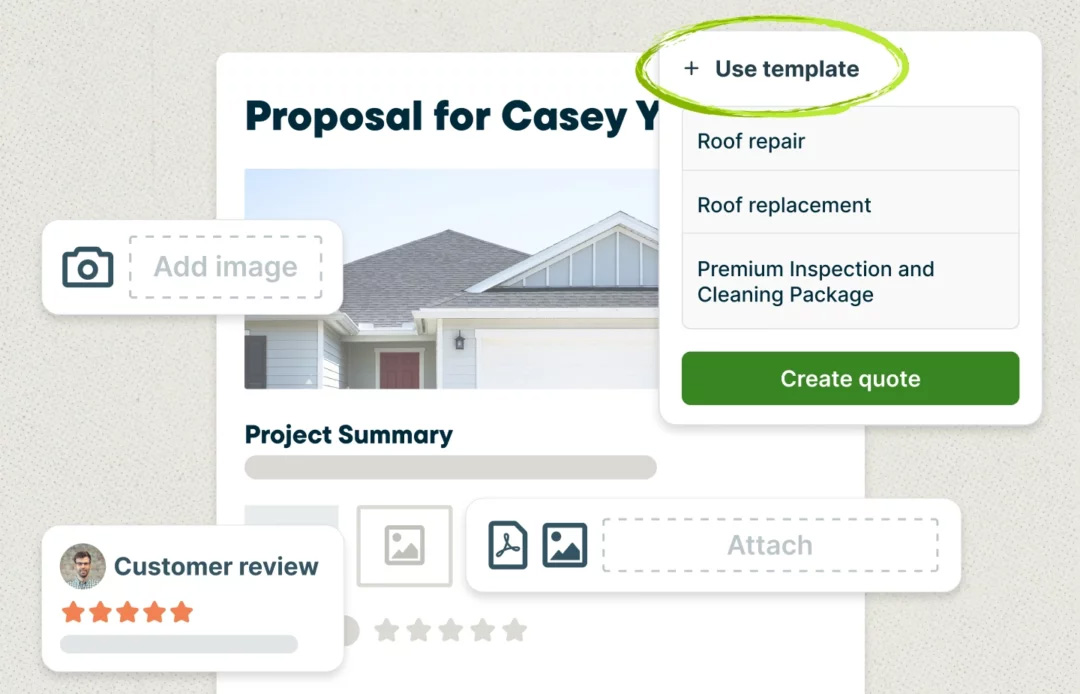
Jobber is a widely used field service management platform serving home service businesses across multiple trades. It provides solid fundamentals, including quoting, scheduling, invoicing, customer communication, and payment processing, all with a clean interface. Jobber’s AI Receptionist answers calls and texts 24/7, books visits, and takes requests, escalating to you when needed. Jobber AI Voice lets field techs complete tasks hands-free from the mobile app. The platform integrates with tools like QuickBooks Online and CompanyCam.
Because Jobber is built for general service businesses, serving 50+ industries rather than roofing exclusively, it offers fewer roofing-specific features than dedicated platforms. While Jobber integrates with EagleView for aerial measurements and offers roofing proposal templates, it lacks advanced material takeoff tools, roofing-specific workflows, and native insurance claim tracking.
Average Review Score: 4.6/5.0 (Capterra: 4.6, 1,486 reviews; G2: 4.6, 529 reviews)
| Summary of Online Reviews |
|---|
| Customers highlight that Jobber “simplifies scheduling, quoting, invoicing, and customer communication all in one system,” with reviewers noting that “having job details, customer history, and team schedules all in one place has helped us stay efficient and professional.” Common criticism is that reporting feels fragmented, with reviewers noting that basic business metrics require more time to pull together than they should. |
7. Leap, for Residential Sales-First Roofing Operations
Leap is built around the in-home sales appointment. Its SalesPro estimating module lets field reps generate proposals, present multiple product options, capture e-signatures, and offer financing at the homeowner’s door, without returning to the office for revised numbers. The platform goes further than many roofers expect: materials ordering from ABC Supply and SRS Distribution, insurance claim tracking, and integrations with EagleView and Hover for aerial measurements are all included.
Where Leap is thinner is in field crew documentation and dispatch. There’s no voice-based inspection logging, automated dispatch recommendations, or field-level job tracking beyond standard production stages. If your primary challenge is converting more in-home appointments and keeping sales organized, Leap is built for that. If your crews need real-time documentation and dispatch coordination across multiple active jobs, you’ll want a platform built around those workflows.
Average Review Score: 4.4/5.0 (Capterra: 4.4, 449 reviews; G2: 4.4, 166 reviews)
| Summary of Online Reviews |
|---|
| Leap customers consistently highlight the speed and control it provides at the point of sale. Reviewers note that “the platform is user-friendly, organized, and makes it much easier for our sales team to build accurate quotes and present professional options to customers.” Common criticisms focus on performance issues: one reviewer notes that “the platform seemed like it had issues every other week” and that “the web browser version was also extremely slow.“ |
8. Roofr, for Fast Residential Operations from Estimate to Payment
Roofr has expanded well beyond its origins as an estimation tool. The platform now includes a full roofing CRM with a pipeline Job Board, instant satellite estimates (address to quote without sending a measurer), measurement reports, proposals with e-signatures, material ordering from ABC Supply and SRS Distribution, invoicing, and payment collection. For residential companies competing on speed from first contact through final payment, Roofr covers more of that workflow than it typically gets credit for.
Roofr’s coverage ends when a contract is signed and picks back up at invoicing. There’s no built-in crew dispatch, inspection documentation, or voice-based job logging. For residential companies running a straightforward volume of replacements with a single crew, that’s a workable gap. If you need a system that shows you where every crew is, what’s been documented on each active job, and what still needs sign-off before you invoice, Roofr will leave that picture incomplete.
Average Review Score: 4.7/5.0 (Capterra: 4.6, 101 reviews; G2: 4.9, 45 reviews)
| Summary of Online Reviews |
|---|
| Customers praise Roofr for “controls [that] are intuitive” and the speed of getting from an address to a complete, shareable estimate. The workflow from estimate to proposal to payment earns strong marks on G2, where Roofr averages 4.9/5.0. Common critiques on Capterra focus on measurement accuracy concerns, mobile optimization limitations, and a one-way QuickBooks sync: contacts, catalog items, invoices, and payments push from Roofr into QuickBooks, but nothing flows back. |
What Makes Roofing Contractor Software “All-in-One” in 2026?
True all-in-one roofing contractor software eliminates the need for multiple disconnected systems by consolidating three essential components:
- Core operational modules: Lead capture, CRM, estimating, scheduling, dispatching, production tracking, invoicing, and payment processing all live in one database. No double-entry. No syncing errors.
- AI-powered automation: Modern platforms use AI to transcribe voice notes into job summaries, auto-generate customer responses after hours, document inspections through smart glasses or walkthrough tools, and surface insights from job history to improve estimating accuracy and crew performance.
- Native integrations: The best platforms connect natively to QuickBooks, aerial measurement providers (Hover, GAF, EagleView), material suppliers (SRS Distribution, ABC Supply), and marketing tools (HubSpot, Google Ads).
Why Fragmentation Hurts Your Bottom Line
Switching between disconnected platforms and re-entering data is where hours disappear on every job. Maven Roofing, a veteran-owned North Carolina roofing company, had worked through five different CRMs before consolidating on Zuper. After switching, their close rates went from 30% to 70%. Roof Doctors, one of California’s leading roofing companies since 1987, saw a 40% drop in missing compliance photos after switching to AI Voice Notes.
How to Evaluate Roofing Contractor Software: Buyer Checklist
When you’re evaluating roofing contractor software for your business, prioritize these four areas:
- Consolidated Functionality: Confirm the platform handles CRM, estimating, scheduling, dispatching, invoicing, and payments in one system, so you’re not paying for multiple subscriptions or manually moving data between tools.
- AI and Automation Capabilities: Look for AI voice-to-text job notes, automated customer responses, smart inspection documentation (walkthroughs, smart glasses), dispatch recommendations by skill and availability,, and AI-generated job summaries.
- Mobile and Integration Strength: Make sure field crews have offline access to job details, checklists, and photosy on mobile devices, and verify native integrations with QuickBooks, aerial measurement tools (Hover, GAF, EagleView), and material suppliers.
- Support and Data Portability: Check customer reviews for support responsiveness, confirm that training resources are accessible, and verify that you can export your data (CSV, API access) if you decide to switch platforms later.
We built Zuper to lead on all four of these dimensions. If that’s the combination you’re looking for, we’d love to show you how it works in practice. If a different platform fits your situation better based on what you’ve read, that’s a useful outcome too.
For companies focused specifically on customer relationship management, our detailed roofing CRM comparison covers platforms optimized for lead tracking and sales workflows. For a deeper dive into CRM-specific capabilities, explore our roofing CRM software guide.
Frequently Asked Questions
What makes roofing contractor software different from a general CRM?
Roofing-specific software covers the operational workflows unique to the trade: inspection documentation tied to aerial measurements, high-volume lead intake during storm events, crew dispatch by skill and certification, and insurance claim tracking. General CRMs handle contact records well. They don’t connect inspection photos to job invoices automatically, and they don’t understand the difference between a tear-off and a re-roof. You’d be building those connections yourself with custom development or workarounds.
What should commercial roofing contractors look for specifically?
Commercial operations need capabilities that residential-focused platforms often don’t prioritize: multi-phase project tracking with milestone dependencies, detailed job-costing visibility over longer timelines, subcontractor management and documentation, and change-order tracking that creates a clear record. If you’re running commercial alongside residential, look for a platform where both sides share the same data, not separate modules that don’t communicate.
Can field crews use roofing contractor software offline?
The best platforms include offline modes. Zuper’s mobile app lets crews pull up job details, complete checklists, capture photos, and update job status without an active internet connection, with automatic sync when connectivity returns. Not all platforms handle this equally. Some require connectivity to upload photos or submit checklists, which creates documentation gaps for crews working in areas with poor signal.
How long does implementation take?
It depends on the platform and your operational complexity. Roofr and RoofSnap are designed for a fast start. Zuper’s implementation team handles data migration, workflow configuration, and team training, with most roofing contractors going live within 6-8 weeks. ServiceTitan deployments typically run three to six months for enterprise operations. Before committing to any platform, ask specifically how long it takes before your field crews can use it on-site, not just when the technical setup finishes.
Does roofing contractor software integrate with QuickBooks?
Most platforms in this comparison offer some level of QuickBooks connectivity. Zuper connects to QuickBooks Online, pushing invoices, customers, and payments to your accounting records automatically without manual entry. Products and inventory can also sync bi-directionally depending on your QuickBooks plan. When evaluating other platforms, confirm what specifically syncs and in which direction.
How does roofing contractor software help field crews specifically?
The platforms that deliver the most value to crews, not just the office, include mobile-first inspection tools, offline access to job details and customer history, voice-based documentation so crews don’t have to type on the roof, and on-site payment collection. Look for platforms where your field tech can handle the full site visit, from inspection through payment, entirely from their phone.
If Zuper sounds like a fit, schedule a demo, and we’ll show you the specific features that matter for your operation, not a generic walkthrough.