

It’s the Monday after a weekend hail event. Your customer service representative walks in to find 14 voicemails. 2 of those callers have already signed with a competitor. Your dispatcher is rebuilding the schedule from scratch because four jobs got pushed by Saturday’s storm, and your field tech from Friday still hasn’t filed his inspection report because the notes were in his head, not the system.
That’s the problem the best roofing CRM software is built to solve. Not just managing contacts, but connecting the whole operation so that documentation happens in real time, leads don’t fall through the cracks, and your office isn’t rebuilding the story after every job.
This guide covers what to look for when evaluating platforms, breaks down seven options worth your time, and shows how they compare across the capabilities that actually drive outcomes in the field.
The Best Roofing CRM Software of 2026
| # | Platform | Best For | Key Capabilities | Avg. Review Score (Capterra and G2) |
|---|---|---|---|---|
| 1 | Zuper | Full-stack AI roofing operations | AI Voice Notes, Zuper Glass, Dispatch Assistant, CSR Agent, Zuper Sense | 4.6/5.0 |
| 2 | AccuLynx | Insurance restoration contractors | Xactimate integration, insurance claim workflow, ABC Supply and SRS ordering integrations | 4.4/5.0 |
| 3 | JobNimbus | Residential teams building structure fast | Kanban production boards, fast onboarding, EagleView integration, supplier ordering | 4.6/5.0 |
| 4 | ServiceTitan | Enterprise, multi-crew operations | Atlas AI suite, enterprise reporting, GPS dispatch, multi-trade management | 4.4/5.0 |
| 5 | Leap | Residential sales-first roofing operations | SalesPro in-home estimating, e-signatures, customer financing, insurance claim tracking, materials ordering | 4.3/5.0 |
| 6 | Roofr | Fast residential operations from estimate to payment | CRM Job Board, instant satellite estimation, material ordering, invoicing, payments | 4.7/5.0 |
| 7 | Jobber | Residential home service operations | Quoting, scheduling, invoicing, and payments in one platform; Jobber Copilot | 4.6/5.0 |
Rankings reflect a judgment across AI field operations depth, full-cycle job coverage, and roofing-specific fit. Review score is one input among several; platforms with higher aggregate scores may rank lower where their coverage is narrower or less matched to active field operations.
1. Zuper, for AI-Assisted End-to-End Roofing Operations
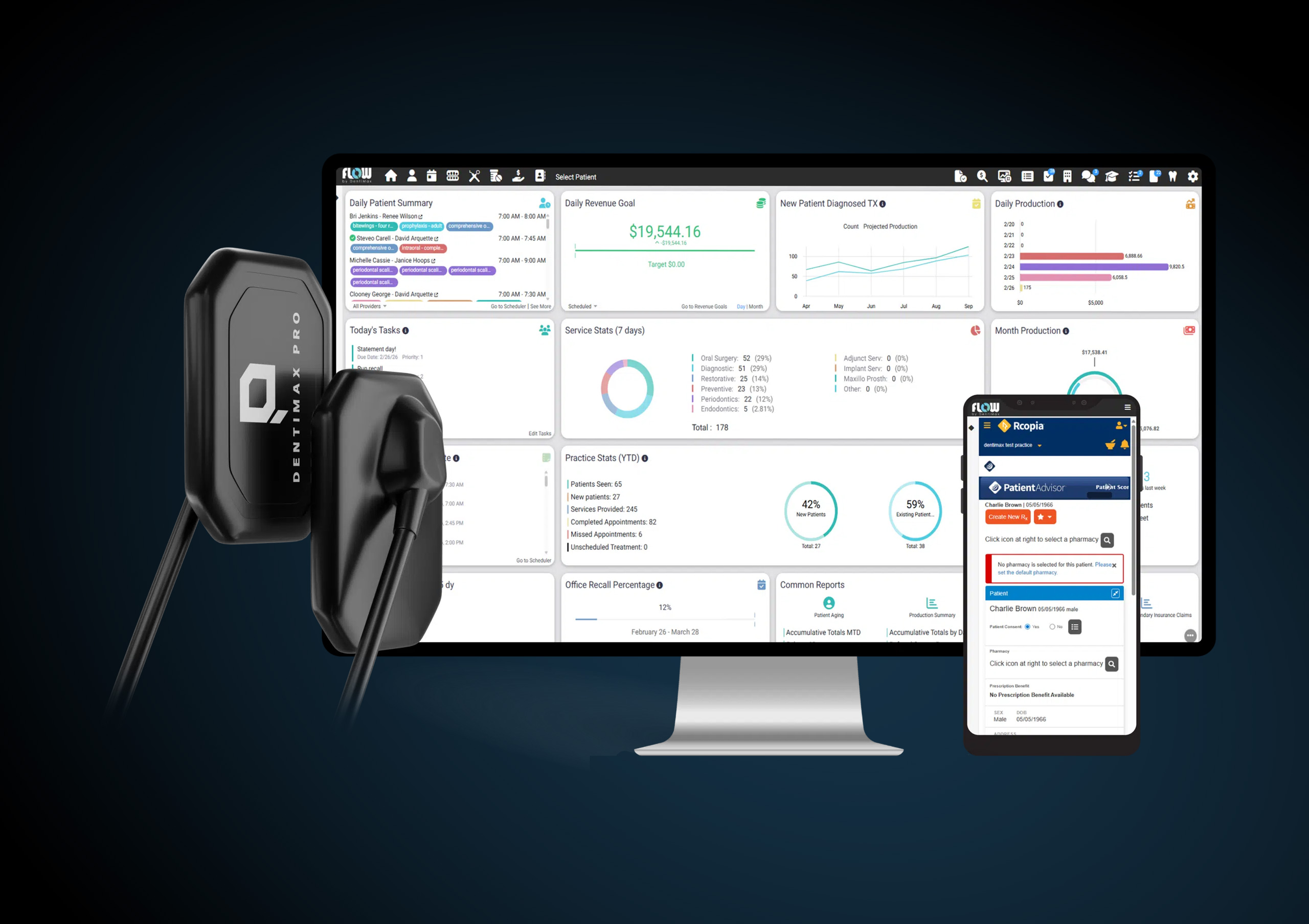
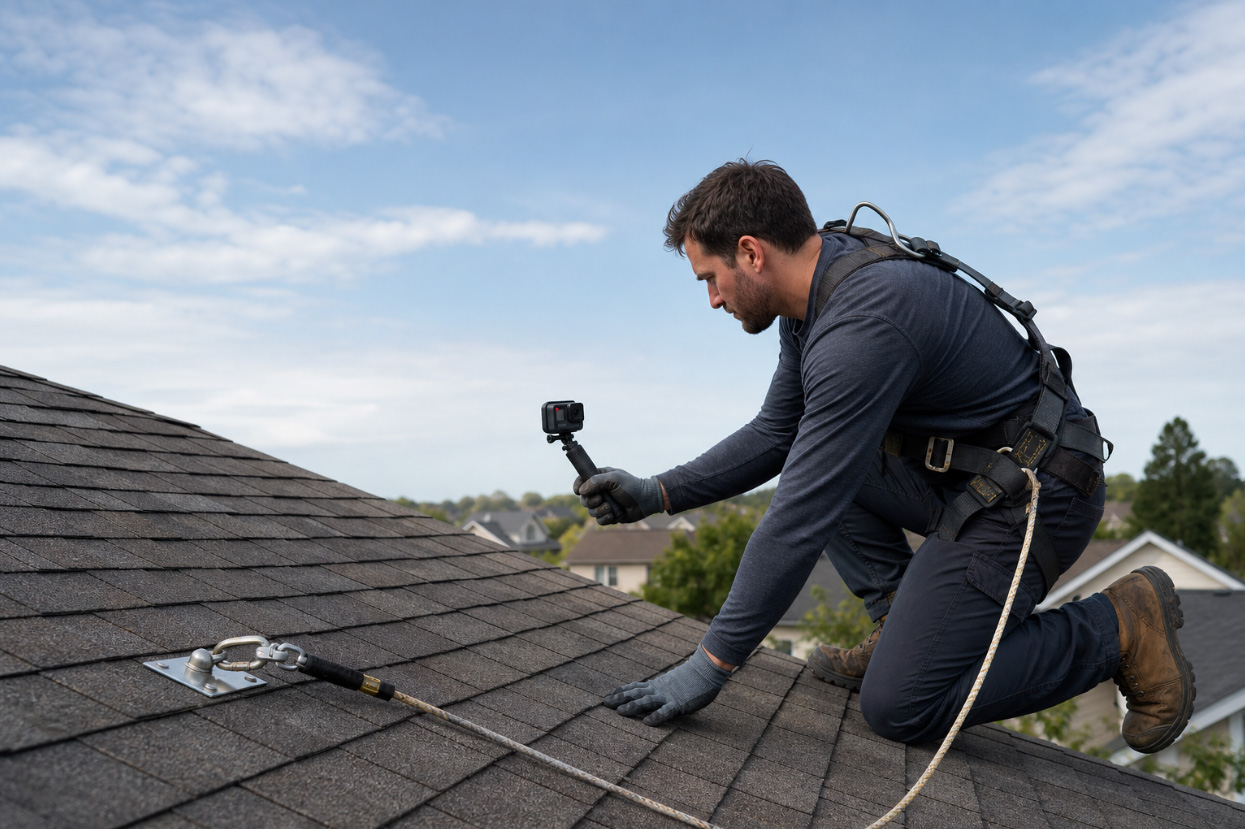
Zuper is the only AI-native roofing contractor software built specifically for roofers, unifying leads, jobs, and payments on a single platform. Field crews document inspections using AI Voice Notes by speaking their observations directly into the job record. Zuper Glass extends this hands-free: they’re smart glasses that capture photos, video, and voice notes, syncing everything into Zuper as the work happens, so documentation is complete before the crew leaves the site. The Dispatch Assistant shortlists technicians by evaluating crew skills, location, and availability, so coordinators can assign in seconds rather than working through a call list.
The CSR Agent answers inbound calls 24/7, books jobs, reschedules appointments, and sends payment links by SMS without human intervention, so leads don’t hit voicemail after hours. Zuper Sense gives owners a live radar across every active job, showing aging estimates, stuck supplements, and unassigned jobs through plain-English queries, with AI agents that act on the answers automatically. For results from roofing operations using Zuper, see the Zuper roofing case studies.
Average Review Score: 4.6/5.0 (Capterra 4.5, 53 reviews; G2 4.7, 152 reviews)
Services Offered: CRM, proposals and Intelligent Quoting, inspection management, scheduling, Dispatch Assistant, job management, invoicing, Zuper Pay, CSR Agent, AI Voice Notes, Zuper Glass, Zuper Sense, mobile app with offline mode
| Summary of Online Reviews |
|---|
| Users say Zuper brings “more structure and visibility” to scheduling and job tracking, with the mobile app frequently credited for “reducing paperwork and improving productivity” in the field. Reviewers also note that the platform makes it “easier to stay organized and keep workflows moving smoothly” across the full job cycle. The most consistent critique is that the initial setup “can feel a bit overwhelming” when configuring workflows for the first time. |
2. AccuLynx, for Insurance Restoration Operations
AccuLynx is purpose-built for roofing contractors who run high volumes of insurance work. Its integration with Xactimate and direct connections to suppliers like ABC Supply and SRS Distribution make it a practical fit for operations where the supplement process with adjusters is a daily workflow. AccuLynx tracks claims through production stages designed to mirror how insurance jobs move: from initial contact and damage documentation through adjuster communication and final check.
AccuLynx’s automation focuses on the office side, covering lead scoring and pipeline prioritization rather than crew documentation or dispatch. If your business involves door-to-door canvassing after hail events, with field reps who need mobile inspection and estimation tools, AccuLynx will handle the office side well, but you will want to check its mobile tools closely against how your reps actually work..
Average Review Score: 4.4/5.0 (Capterra 4.6, 846 reviews; G2 4.2, 36 reviews)
Services Offered: CRM, estimating, job management, production boards, aerial measurement ordering (via integrations), material ordering (via integrations), Xactimate integration, photo capture and annotation, permits/supplements/mortgage check tracking, customer portal, job costing, QuickBooks integration, reporting
| Summary of Online Reviews |
|---|
| AccuLynx users say the platform is “easy to learn and implement” and keeps all job-related information organized in one place. Customer support is frequently cited as a strength, and insurance restoration teams recognize the production board structure. The most common critiques are that pricing is “high and complex” to navigate, and some reviewers find the “payment and invoicing process cumbersome.” |
3. JobNimbus, for Residential Teams Getting Organized
JobNimbus is a strong starting point for residential roofing companies that need to build pipeline visibility and structure quickly. Its Kanban production boards are practical for tracking jobs through stages, and the platform covers CRM, estimating, invoicing, and supplier connections without a steep learning curve. The platform is designed for fast onboarding, which matters if you’re scaling during peak season. Scout, JobNimbus’s mobile AI assistant, lets field crews create and update jobs using natural voice or text commands from the roof, the truck, or between calls. AssistAI handles inbound calls 24/7, capturing leads, answering common questions, and automatically booking appointments.
Workflow automation is functional but not yet deeply wired into field operations. If you’re running field sales reps who need live estimation on the roof and want those inspection results to flow directly to dispatch, you’ll encounter more manual handoffs than you’d like.
Average Review Score: 4.6/5.0 (Capterra 4.6, 482 reviews; G2 4.5, 137 reviews)
Services Offered: CRM, production boards, estimating, invoicing, material ordering, scheduling, customer communication, workflow automation, payment processing, reporting, Scout AI voice assistant, AssistAI phone answering and booking, EagleView and Hover integrations
| Summary of Online Reviews |
|---|
| JobNimbus users consistently describe the platform as “intuitive and easy to use,” particularly for offices moving off spreadsheets. The production board structure and supplier integrations earn strong marks. The most frequent criticisms are “recurring glitches and technical problems” and “limited and unreliable mobile functionality” in the field. |
4. ServiceTitan for Enterprise Roofing Operations
ServiceTitan is the right call for large operations: companies running 10 or more crews, managing multiple locations, or requiring enterprise-level financial reporting. Its Titan Intelligence suite covers four AI tools: Atlas, a field AI assistant that gives technicians real-time answers about equipment, jobs, and customer history on-site; Dispatch Pro, which predicts job value and crew fit; an AI booking agent for automated customer scheduling; and AI-generated invoice summaries. Multi-trade contractors running roofing alongside HVAC or plumbing will find ServiceTitan’s unified reporting difficult to match.
Getting fully operational typically takes three to six months. For a roofing-only operation, the complexity and implementation timeline will likely feel out of scale with what you’re actually solving for.
Average Review Score: 4.4/5.0 (Capterra 4.3, 338 reviews; G2 4.4, 375 reviews)
Services Offered: CRM, dispatch, estimating, job management, invoicing, payroll, inventory management, marketing automation, enterprise reporting, Atlas (Titan Intelligence), Dispatch Pro, AI booking agent, AI-generated invoice summaries, GPS dispatch, customer financing, multi-trade management
| Summary of Online Reviews |
|---|
| Enterprise users credit ServiceTitan with “robust reporting capabilities” and the ability to manage complex, multi-crew operations from one platform. Smaller contractors frequently note that “setup can take time” and that there’s “a learning curve to really getting it dialed in” for a roofing-specific operation. Customer support receives mixed reviews. |
5. Leap, for Residential Sales-First Roofing Operations
Leap is built around the in-home sales appointment. Its SalesPro estimating module lets field reps generate proposals, present multiple product options, capture e-signatures, and offer financing at the homeowner’s door, without returning to the office for revised numbers. The platform goes further than many roofers expect: materials ordering from ABC Supply and SRS Distribution, insurance claim tracking, and integrations with EagleView and Hover for aerial measurements are all included.
Where Leap is thinner is in field crew documentation and dispatch. There’s no voice-based inspection logging, automated dispatch recommendations, or field-level job tracking beyond standard production stages. If your primary challenge is converting more in-home appointments and keeping sales organized, Leap clearly delivers. For crews that need real-time documentation and dispatch coordination across multiple active jobs, you’ll want a platform built around those workflows.
Average Review Score: 4.3/5.0 (Capterra 4.3, 407 reviews; G2 4.3, 154 reviews)
Services Offered: CRM, SalesPro, proposals, e-signatures, production management, scheduling, job management, invoicing, payments, materials ordering, measurement integrations, insurance claim tracking, two-way texting, workflow automations, customer and subcontractor portals, reporting, customer financing integration
| Summary of Online Reviews |
|---|
| Leap customers consistently highlight the speed of the in-home estimate process and the professional experience it creates at the homeowner’s door. Reviewers praise the platform’s “central office organization” for managing estimates, contracts, and job workflows. The most common criticisms are “frequent software glitches and errors” and “slow and laggy performance” that some users note during high-volume periods. |
6. Roofr, for Fast Residential Operations from Estimate to Payment
Roofr has expanded well beyond its origins as an estimation tool. The platform now includes a full roofing CRM with a pipeline Job Board, instant satellite estimates (address-to-quote without sending a measurer), measurement reports, proposals with e-signatures, material ordering from ABC Supply and SRS Distribution, invoicing, and payment collection. For residential companies competing on speed from first contact through final payment, Roofr handles more of that workflow than it’s typically given credit for. It also carries the highest review score on this list at 4.7/5.0.
Roofr’s coverage essentially ends when a contract is signed and picks back up at invoicing. There’s no built-in crew dispatch, inspection documentation, or voice-based job logging. For residential companies running a straightforward volume of replacements with a single crew, that’s a workable gap. If you need a system that tells you where every crew is, what’s been documented on each active job, and what still needs sign-off before you invoice, Roofr will leave that picture incomplete.
Average Review Score: 4.7/5.0 (Capterra 4.6, 101 reviews; G2 4.9, 45 reviews)
Services Offered: CRM (Job Board with pipeline stages), instant satellite estimation, measurement reports, proposals, e-signatures, material ordering, invoicing, payments, automated customer communication, CompanyCam integration, mobile access
| Summary of Online Reviews |
|---|
| Customers consistently praise Roofr for the “simplicity in the layout” and the speed of instant estimate reports, noting how quickly they can move from an address to a complete, shareable quote. The workflow from estimate to proposal to payment earns strong marks. Common critiques include “photo upload limitations” and a one-way QuickBooks sync: estimates, invoices, and payments push from Roofr into QuickBooks, but nothing flows back. |
7. Jobber, for Residential Home Service Operations
Residential roofers use Jobber as a reliable operational backbone: quoting, scheduling, dispatching, invoicing, and payments, all on one platform that crews get comfortable with quickly. Jobber Copilot handles AI-assisted quote generation, and Jobber Receptionist books appointments through your website automatically.
The tradeoffs show up in the roofing-specific details. Jobber doesn’t connect natively to Hover, EagleView, or Xactimate, and there’s no built-in insurance claim workflow. If most of your revenue comes from residential replacement without heavy insurance involvement, you’ll work around those gaps. If supplements and adjuster documentation are a weekly part of your business, you won’t.
Average Review Score: 4.6/5.0 (Capterra 4.6, 1,477 reviews; G2 4.6, 528 reviews)
Services Offered: CRM, quoting, scheduling and dispatch, job management, invoicing, digital payments, client portal, GPS tracking and job optimization, team time tracking, workflow automation, Jobber Copilot, Jobber Receptionist, QuickBooks Online Integration
| Summary of Online Reviews |
|---|
| Jobber customers consistently praise the platform for keeping “scheduling, invoicing, and payments in one place” without constant manual follow-up. The interface is frequently called “intuitive” and easy for crews to pick up quickly. Common criticisms include “frequent glitches and slowdowns” and “limited and basic reporting” for contractors who need detailed job costing. |
What to Look For in Roofing CRM Software
You’ve seen how the platforms compare. Here’s how to apply those comparisons to your specific operation. The right CRM depends less on review scores and more on where your current workflow breaks down.
Connection Across the Full Job Cycle
Five disconnected tools that don’t share data between them cost more than almost any single wrong software choice you could make. Most roofing companies run separate apps for customer management, proposals, photo documentation, scheduling, and invoicing. Research from Salesforce found that field workers lose 18% of their working hours, roughly seven hours every week, to tasks created by app-switching and manual data handoffs. For a ten-person crew, that’s about 70 hours lost every week.
As roofing software continues to evolve, more operations are moving toward platforms that unify their workflows rather than managing a stack of apps that don’t communicate with one another.
The roofing operations cutting administrative overhead most sharply are the ones that replaced disconnected app stacks with platforms where CRM, scheduling, documentation, and invoicing share the same data rather than requiring someone to move it manually. Zuper reflects this broader shift, built from day one as the only platform for roofers with , with CRM, inspections, and payments running in a single connected system. Connecting customer management, field documentation, scheduling, and financial workflows in one place reduces administrative overhead and keeps visibility on every job, from the first call to final payment.
Ask this in any demo: if a crew documents an inspection on a mobile device, does that information automatically flow to the estimate, the dispatch board, and the customer record? Or does someone in the office need to move it manually?
AI That Works in the Field
AI shows up in every software vendor’s pitch right now. The platforms worth evaluating for roofing operations are the ones where AI helps the person on the roof, not just the person at the reporting dashboard.
The most useful applications for field teams include:
- Voice documentation. Your tech describes the damage on the roof. The system transcribes and structures the report, attaching it directly to the job record. Your office doesn’t need to chase the crew for details after the job.
- After-hours lead intake. When a homeowner calls after a hail event at 11 PM, and your CSR isn’t there, an automated intake agent captures the lead and books an inspection without human intervention. Leads don’t go to voicemail and disappear.
- Dispatch recommendations. When six jobs shift on a Thursday morning because of the weather, AI that reads crew skills, current location, and existing schedules shortlists the best assignments in seconds rather than requiring your coordinator to rebuild the board from scratch.
For a breakdown of where field automation tools produce the most measurable gains in roofing operations, read how roofing CRM software increases productivity. For a full platform-by-platform AI comparison, see the best AI software for roofing companies.
Estimating and Proposal Speed
Commercial and residential estimating have different requirements, and the right CRM should handle both without forcing workarounds.
For residential work, speed determines close rate. The faster a professional proposal lands in the customer’s hands during peak season, especially when homeowners are collecting multiple quotes after a storm, the better your same-day conversion. For commercial work, detail carries more weight: scope breakdowns, line-item pricing, multi-phase timelines, and documentation that holds up in a contract dispute.
Look for these regardless of which side of the market you serve:
- Formula-driven pricing tied to measurement data from Hover or EagleView, so estimators aren’t re-entering square footage from a printout
- Multiple material tier options presented in a single proposal, so customers can choose without requesting a revision
- E-signature capability so clients can approve from their phone
- A clear record showing when proposals were sent, viewed, and accepted
Scheduling and Crew Coordination
Scheduling failures in roofing are usually coordination failures. A crew shows up to a job where the shingles haven’t arrived. They sit for two hours. That gap comes from a breakdown between the supply order, the delivery window, and the dispatch board, all living in separate tools that don’t share information.
The right CRM connects job scheduling to material status, crew availability, and customer notification. When a job slips because of weather or a delivery change, the system updates the crew, notifies the homeowner, and adjusts the board without requiring three separate phone calls and a manual calendar fix.
For commercial operations running multiple simultaneous jobs across crews and subcontractors, this matters even more. Multi-phase projects need milestone tracking, dependency management, and crew assignments that adjust dynamically. See how Zuper handles this on the roofing software page.
Inspection Documentation
Insurance documentation is one of the highest-stakes workflows in roofing. A missed photo, an undocumented damage area, or a disorganized submission can delay claim approval by weeks and hold up payment right along with it. For commercial projects with more complex documentation requirements, the cost of gaps compounds fast.
Your CRM’s inspection tools should let field crews do the following without going back to the truck:
- Capture, annotate, and organize photos directly in the job record
- Add damage notes by voice so documentation happens on the roof
- Connect aerial measurement data from third-party providers into the inspection form automatically
- Generate a structured damage report ready for adjuster review without additional formatting
Payments and Cash Flow
The gap between job completion and payment received is a cash flow problem. Getting paid on-site the same day changes how your operation runs.
Look for CRMs that link invoicing to job completion so invoices are sent automatically when a crew marks a job as done. Field crews should be able to collect payment on-site through a mobile Tap to Pay feature without needing to return to the office. For jobs with progress billing or multiple payment milestones, automated invoicing tied to production stages eliminates the need to manually bill at each checkpoint.
Integrations with Your Existing Tools
You’re likely not starting from scratch. QuickBooks for accounting, Hover or EagleView for measurements, SRS Distribution for materials: these tools are already in your workflow. Your CRM needs to connect with them.
Push on these specifics in any evaluation:
- Does it sync with QuickBooks Online automatically?
- Does measurement data from Hover or EagleView flow into estimates automatically, or does someone re-enter it?
- Can it connect to material suppliers for purchase order management?
Zuper connects with 60+ platforms, including QuickBooks Online, Hover, GAF Quick Measure, EagleView, SRS Distribution, and HubSpot. Invoices, customers, and payments are automatically synced from Zuper to QuickBooks, keeping your accounting records up to date without manual entry.
The Top Roofing CRM Software in the US by Subcategory
We also broke down the top platforms into three subcategories based on specialty.
The Top Roofing CRM Software for Insurance Restoration
Ranked by depth of insurance claim workflow support, Xactimate integration, supplement tracking, and adjuster documentation tools.
- AccuLynx: Purpose-built for insurance restoration, with native Xactimate integration and production boards designed around the supplement process
- Zuper: Real-time inspection documentation and the 24/7 CSR Agent reduce claim delays and capture leads during storm surges
- ServiceTitan: Enterprise-level claim tracking and reporting within a full multi-trade platform
- JobNimbus: Kanban boards and supplier integrations cover the core stages of residential insurance jobs
- Leap: E-signatures, job management, and financing integration support the documentation and approval steps common in residential insurance claims
The Top Roofing CRM Software for Field-First AI
Ranked by depth of AI tools available to field crews, not just office staff, including mobile documentation, dispatch intelligence, and after-hours automation.
- Zuper: AI Voice Notes, Zuper Glass, Dispatch Assistant, CSR Agent, and Zuper Sense cover field and back-office AI in one platform
- ServiceTitan: Atlas, Dispatch Pro, and AI booking agent provide strong AI coverage, though weighted toward enterprise back-office workflows
- JobNimbus: Scout (field AI voice assistant) and AssistAI (automated call answering) are solid additions; most useful for residential ops building their first structured workflow
- AccuLynx: AI focuses on lead scoring and pipeline prioritization rather than field crew tools
- Roofr: AI-assisted instant satellite estimation converts an address to a quote in seconds; no field operations AI beyond the proposal stage
The Top Roofing CRM Software for All-in-One Operational Coverage
Ranked by how many operational steps are handled natively in a single platform without external tools.
- Zuper: Covers the full job lifecycle from first call to final payment, including field documentation and automated crew dispatch
- ServiceTitan: Covers the widest range of operational functions at enterprise scale, including payroll and multi-trade management
- AccuLynx: Strong operational coverage for insurance-focused contractors, with native supplier ordering and production stage tracking
- JobNimbus: Covers CRM, estimating, invoicing, and material ordering; some operational gaps on the field documentation side
- Jobber: Covers CRM, quoting, scheduling, dispatch, invoicing, and payments in one platform; less complete on roofing-specific workflows and insurance integrations
Frequently Asked Questions
What makes roofing CRM software different from a general CRM?
A roofing-specific CRM covers the operational workflows unique to the trade: inspection documentation tied to aerial measurements, high-volume lead intake during storm events, crew dispatch by skill and certification, and insurance claim tracking. Generic CRMs handle contact records well. They don’t connect inspection photos to job invoices automatically, and they don’t understand the difference between a tear-off and a re-roof. You’d be building those connections yourself with custom development or workarounds.
What should commercial roofing contractors specifically look for?
Commercial operations need capabilities that residential-focused platforms often don’t prioritize: multi-phase project tracking with milestone dependencies, detailed job-costing visibility over longer timelines, subcontractor management and documentation, and change-order tracking that creates a clear record. If you’re running commercial alongside residential, look for a platform where both sides share the same data, not separate modules that don’t communicate.
Can field crews use roofing CRM software offline?
The best platforms include offline modes. Zuper’s mobile app lets crews pull up job details, complete checklists, capture photos, and update job status without an active internet connection, with automatic sync when connectivity returns. Not all platforms handle this equally. Some require connectivity to upload photos or submit checklists, creating documentation gaps for crews working in areas with poor signal.
How long does implementation take?
It depends on the platform and your operational complexity. JobNimbus and Roofr are designed for a fast start and typically reach speed significantly faster than full enterprise platforms. Zuper’s implementation team handles data migration, workflow configuration, and team training, with most roofing contractors going live in a matter of weeks. ServiceTitan deployments typically run three to six months for enterprise operations. Before committing to any platform, ask specifically how long it takes before your field crews can use it on-site, not just when the technical setup finishes.
Does roofing CRM software integrate with QuickBooks?
Most platforms in this comparison offer some level of QuickBooks connectivity. Zuper connects to QuickBooks Online, pushing invoices, customers, and payments to your accounting records automatically without manual entry. Products and inventory can also sync bi-directionally depending on your QuickBooks plan. When evaluating other platforms, confirm what specifically syncs and in which direction.
How does roofing CRM software help field crews specifically?
The platforms that deliver the most value to crews, not just the office, include mobile-first inspection tools, offline access to job details and customer history, voice-based documentation so crews don’t have to type on the roof, and on-site payment collection. Look for platforms where your field tech can handle the full site visit, from inspection through payment, entirely from their phone.
Find the Right Roofing CRM Software for Your Operation
The right platform depends on where your current gaps are: leads that slip after hours, inspection documentation that never makes it from the field to the office, dispatch decisions that eat your coordinator’s morning, or payment cycles that stretch weeks past job completion.
For operations that need those gaps closed in one place, Zuper is built for exactly that. As the only platform built with AI as the core for roofing operations, Zuper connects leads, jobs, and payments in a single system, so your crews can document, dispatch, and get paid faster, without the administrative work that stacks up when you’re running apps that don’t share data.