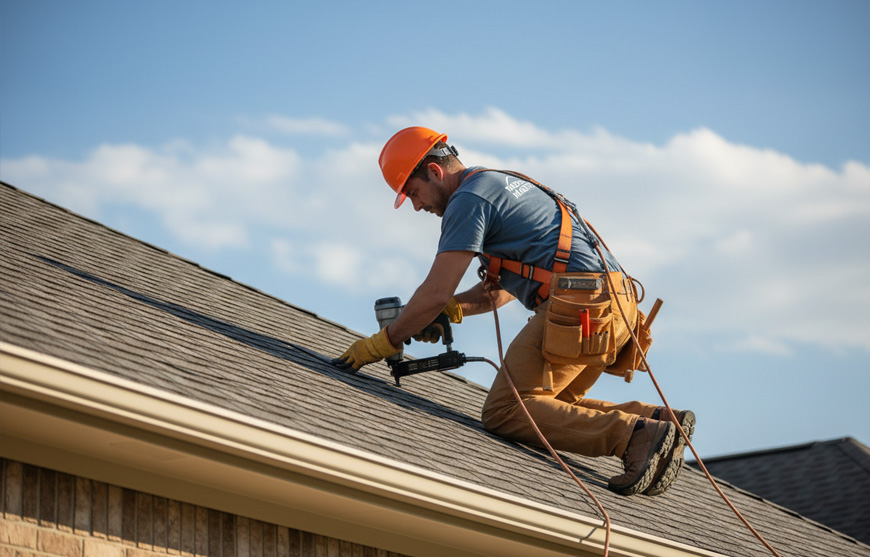


A hailstorm can fill your pipeline in a few hours. It can also bury your office in missed calls, inspection notes, crew changes, supplement paperwork, and unpaid invoices. When lead data, photos, and schedules live in different tools, your team spends the day combining information.
The best roofing business software connects lead intake, CRM, estimates, inspections, dispatch, production, invoicing, payments, and reporting. It also cuts admin work for the people on the roof. Your crew should be able to document damage with both hands busy, while your office sees the update without another phone call.
Business Management Software Versus Project Management Software
Project management software helps you manage tasks, milestones, documents, and communication for a specific job. Business management software covers the job plus the work around it. That includes answering leads, building estimates, assigning crews, tracking material costs, following up on supplements, collecting deposits, and reviewing profit.
That difference matters during storm season. A project board may show that an inspection is complete, but your office still needs the photos, measurements, customer history, crew assignment, and payment status. The best roofing business software keeps those records connected from the first call through the final collection.
How We Compared These Platforms
We’re Zuper, so this comparison reflects Zuper’s perspective, not an independent rating. We reviewed publicly available product information for six widely used platforms, focusing on the tasks roofing teams manage every day: CRM, estimating, field notes, crew coordination, scheduling, dispatch, invoicing, payments, reporting, and growth. Use the table to narrow your options before scheduling a live demo.
Best Roofing Business Software Compared
| Platform | Job visibility | CRM and lead intake | Field and crew coordination | Estimating | Scheduling and dispatch | Invoicing and payments | Best fit | |
|---|---|---|---|---|---|---|---|---|
| 1 | Zuper | Lead-to-payment view | CRM, AI CSR Agent, automated intake | AI Voice Notes, AI Job Summary, Dispatch Assistant, procurement, material ordering | Intelligent Quoting and measurement connections | Skill, territory, and base-location-aware Dispatch Assistant | Automated invoices, reminders, Zuper Pay | Roofing companies replacing disconnected tools |
| 2 | AccuLynx | Strong job file and production view | Roofing CRM and lead intelligence | Production, labor, photos, supplements | Templates, measurements, material pricing | Shared production calendar | Payments, financing, QuickBooks connection | Roofing-first sales and production teams |
| 3 | ServiceTitan | High visibility for larger operations | Sales pipeline and customer history | Dispatch, field service, crew output | Estimates and digital invoices | Advanced dispatch and crew planning | Billing, payments, reporting | Large or multi-location contractors |
| 4 | JobNimbus | Job boards and production tracking | Roofing CRM and proposals | Work orders, photos, crew assignments | Proposals and estimate workflows | Production scheduling | JobNimbus Payments and financing | Residential roofing teams scaling production |
| 5 | Roofr | Job board from lead to close | CRM and instant estimates | Mobile job details and production handoffs | Instant Estimator and measurement reports | Basic scheduling around the job board | Invoicing and online payments | Sales teams that want fast estimates |
| 6 | Housecall Pro | Business dashboard and job status | Customer management and campaigns | Mobile work updates and team communication | Templates, signatures, change orders | Drag-and-drop scheduling | Invoicing, reminders, card payments | Smaller teams needing general field software |
Pricing And Setup Considerations
Public pricing varies across these platforms. JobNimbus promotes a 14-day trial, while Housecall Pro offers a free trial. Zuper, AccuLynx, and ServiceTitan direct buyers toward demos or sales conversations. Roofr offers a self-serve starting path.
During a demo, ask about user limits, setup time, payment-processing fees, measurement integrations, QuickBooks connectivity, mobile access, and customer support. A lower subscription price can change quickly if your team needs extra apps for photos, dispatch, supplements, or customer communication.
1. Zuper, For AI Roofing Operations
If your leads, estimates, crew schedules, and invoices live in different tools, your team spends the day patching information together instead of moving jobs forward. With Zuper’s roofing platform, you get customer and job management, inspections, installation work, dispatch, materials, job costing, invoicing, payment tracking, and reporting in one connected system. Your workflows connect automatically, and the Workflow Builder handles job assignments, invoicing, and status updates.
Roofing companies using Zuper include Roof Doctors, a California-based company in business since 1987; Maven Roofing, a veteran-owned contractor; and Dickinson Roofing, which used Zuper’s quoting tools to improve profitability on insurance jobs. Chris Little of Dickinson Roofing puts it directly: “Zuper blows any software out of the water. I’ve tested out lots of different CRMs and software. For roofing, this is just the best.”
The field difference is practical.
- You can use AI Voice Notes in Job Notes, Checklists, and Inspection Forms to speak instead of typing. Zuper AI transcribes the recording into clean, structured text.
- The AI Walkthrough Note feature goes further. You can capture images and record voice input simultaneously. Zuper AI transcribes and summarizes your spoken content, combining it with the captured images to generate a structured job note.
- AI Take and Talk also lets you capture a photo and add a voice description that is instantly transcribed and tagged with the image.
- AI Job Summary then provides a structured overview of key job details, including category, status, assignments, parts, tasks, and timelines.
- The Dispatch Assistant shortlists technicians using job location, technician base location, existing scheduled jobs, availability, skills, service territories, shifts, and workload.
When a storm surge hits and your call volume spikes, your front desk can’t do it alone. A&A Roofing put this to the test during a December 2025 storm surge that sent inbound calls up 458 percent. Zuper’s CSR Agent answered every call, logged job details, and flagged callbacks without adding staff or overtime. Crystal Rodriguez, Office Manager at A&A Roofing, describes it: “I know that if I can’t make it to the phone, the [CSR Agent] will answer, schedule an appointment, and take care of what the customer needs.”
Your quote and payment workflows let you send quotes and collect payment directly from the job record. Zuper’s Intelligent Quoting uses your measurement values, checklists, and custom fields to build proposals. Zuper automatically generates invoices when a job is marked complete or a proposal is approved. Zuper’s guide to reducing admin time and AI in roofing article go deeper on both.
What Reviewers Say: As of August 2026, Capterra’s verified Zuper reviews averaged 4.5 out of 5 across 53 reviews. Reviewers praised “work-order organization, scheduling, visibility, mobile access, and connected workflows.” Review snippets mention “more structure and visibility to work orders” alongside the “learning curve is tough,” with some users also noting feature gaps.
Choose Zuper If: You want AI Voice Notes, AI Job Summary, and AI CSR Agent built in, plus connected workflows for dispatch, scheduling, invoicing, and reporting.
2. AccuLynx, For Roofing Sales And Production Control
AccuLynx is a roofing-focused platform with a strong job file, CRM, estimates, measurement ordering, material ordering, production management, labor scheduling, supplements, reporting, and job costing. Its public feature page also highlights lead intelligence, photos, supplier connections, financing, and QuickBooks integration.
That breadth makes AccuLynx a practical choice for companies that want to standardize sales and production around a roofing-specific system. After a hail event, an estimator can use measurement data while the production team tracks supplements and material needs. A sales rep can pull measurements into an estimate. A production manager can see milestones and labor. The office can keep permits, supplements, and mortgage checks with the job. From the field, crews can access their shared job folder for photos, task notes, and work orders before arriving at the property. Its public product pages emphasize roofing CRM and production work. Buyers who need hands-free field notes or live job reassignment should confirm those workflows in a demo.
What Reviewers Say: As of August 2026, Capterra’s verified AccuLynx reviews averaged 4.6 out of 5 across 846 reviews. Reviewers liked the central job file, sales-to-production flow, support, and document organization. Snippets say AccuLynx “keeps everything organized in one place,” while another reviewer cautions that “the add-ons all cost”;“mobile navigation and payment workflows” also drew criticism.
Choose AccuLynx If: Your main goal is to bring roofing sales, estimates, supplier ordering, production, and job costing into one roofing-first system.
3. ServiceTitan, For Large And Multi-Location Roofing Companies
ServiceTitan is built for larger trade contractors. It covers sales, dispatch, customer history, crew output, estimates, billing, payments, and reporting across a sizable operation. Its roofing page positions the platform as an end-to-end system for contractors focused on growth and profitability.
The strength is scale. If you manage several branches, a large sales team, or many crews, detailed permissions, crew planning, and reporting can matter more than a fast setup. That can help when a storm shifts work across branches or crews. Field technicians use the mobile app to view job details, log notes, update job status, and process payments on site. Confirm setup time, migration needs, and total cost before choosing it. ServiceTitan may be more system than a small roofing company needs, especially if your immediate problem is replacing spreadsheets and reducing office handoffs. Its ranking here reflects roofing specialization rather than overall platform quality; for large exterior contractors, it’s one of the most capable systems available.
What Reviewers Say: As of August 2026, Capterra’s verified ServiceTitan reviews averaged 4.3 out of 5 across 339 reviews. Reviewers praised its breadth, dispatch, customer records, reporting, and connected sales-to-field workflows. Snippets call ServiceTitan “a beast” that “encompasses everything you could need,” while common concerns include “implementation effort, cost, bugs, reporting limits, and training.”
Choose ServiceTitan If: You run a larger roofing or exterior business and need enterprise controls, deep reporting, and multi-location oversight.
4. JobNimbus, For Residential Roofing Production
JobNimbus focuses on roofing CRM and production. Its roofing pages highlight lead management, proposals, work orders, photos, crew and subcontractor coordination, scheduling, mobile access, customer communication, and payments. The platform also offers a 14-day trial and a focus on residential roofing.
That makes it a solid option for residential roofers moving from signed contracts into production. A production lead can use the job record to check photos, work orders, and customer updates before sending a crew back to the property. In the field, crews and subcontractors can access their assigned work orders and job folders from the mobile app without calling the office. JobNimbus can help organize a busy production board, but buyers should test how much automation reaches the field. Ask whether crews can document inspections and changes by voice. Check whether dispatch uses live skill and location data. Find out how much follow-up still depends on office staff.
What Reviewers Say: As of August 2026, Capterra’s verified JobNimbus reviews averaged 4.6 out of 5 across 482 reviews. Reviewers specifically noted document and photo storage, production boards, scheduling, payments, and connected sales and production data. Snippets say JobNimbus “brings everything into one place,” while another reviewer says “the mobile app wasn’t our favorite”; other concerns include “interface clutter, reporting limits, glitches, and workflow customization.”
Choose JobNimbus If: You want a roofing CRM with strong production boards, proposals, work orders, and payment tools for a residential operation.
5. Roofr, For Fast Estimating And Sales Workflows
Roofr brings CRM, instant estimates, measurement reports, proposals, material ordering, invoicing, and payments into one roofing software product. Its public site emphasizes giving sales teams fast estimates and proposal workflows that can move from a driveway conversation to a signed job.
Roofr is a good fit when estimate speed is the main buying trigger. A rep standing in a homeowner’s driveway can move from an instant estimate to a branded proposal without waiting to return to the office. Field reps can also check job details and respond to leads from the mobile app. Before buying, look closely at production management, crew dispatch, inspection documentation, job costing, and reporting. A sales-first platform can win the contract. Your operation still needs a clean handoff to the crew that installs the roof.
What Reviewers Say: As of August 2026, Capterra’s verified Roofr reviews averaged 4.6 out of 5 across 101 reviews. Reviewers mentioned measurement, proposal speed, and ease of use. Snippets call it a “smooth experience with little learning curve,” while another reviewer says, “Measurements are regularly incorrect.” Other concerns include “imagery availability, mobile limits, support, and pricing changes.”
Choose Roofr If: Your sales team needs quick measurements, estimates, proposals, material ordering, and payment collection in one workflow.
6. Housecall Pro, For Smaller Teams That Need General Field Software
Housecall Pro offers roofing scheduling, estimates, invoicing, customer management, campaigns, payments, and mobile access. Its roofing page highlights drag-and-drop scheduling, online booking, reminders, digital signatures, change orders, QuickBooks syncing, and payment options.
It can work well for a smaller team that wants to replace paper, scattered calendars, and manual invoice follow-up. When weather changes the next day’s schedule, the office can test how quickly the team can update crews and customers. Field crews can check their schedule, mark jobs complete, and send invoices from the mobile app without returning to the office. The key question is depth. Roofing companies handling storm restoration, insurance documentation, multiple production crews, or complex supplement workflows should test whether the platform matches those processes.
What Reviewers Say: As of August 2026, Capterra’s verified Housecall Pro reviews averaged 4.7 out of 5 across 2,743 reviews. Reviewers appreciated its intuitive scheduling, ease of use, customer support, mobile access, and customer data. Snippets call scheduling “very intuitive,” while another reviewer says “the reporting features are not the greatest”; other concerns include “bugs, invoice flexibility, desktop usability, and advanced reporting or production controls.”
Choose Housecall Pro If: You need approachable scheduling, estimates, invoicing, and customer communication for a smaller roofing operation.
How To Evaluate Software With Your Field Team
Don’t evaluate software only from the owner’s dashboard. Bring a field lead, a dispatcher, an estimator, and an office coordinator into the same demo. Have them work through a scenario your team knows well: a storm lead arrives after hours, an inspection runs long, rain pushes tomorrow’s install, the crew finds additional damage, and the homeowner asks for a payment link.
Use these questions:
- Can the roofer capture photos, voice notes, measurements, and checklist results without stopping work?
- Does the office see the same job status without calling the crew?
- Can the dispatcher reassign a job using crew skills, location, availability, and job duration?
- What happens automatically after a proposal is signed?
- Can the system keep supplement evidence, customer communication, and inspection records with the job?
- Does an invoice go out when the job reaches the right stage, or does someone remember to create it?
- Can you report on close rate, production time, crew capacity, margin, and overdue receivables?
- Will your crew actually use the mobile workflow when they’re wet, rushed, or wearing gloves?
Your field team needs fewer taps, fewer calls to the office, and less end-of-day paperwork. Test the mobile workflow before you buy.
Best Platforms By Use Case
Best For AI-Native Field Automation
- Zuper: AI Voice Notes, AI Job Summary, AI CSR Agent, Workflow Builder, and Dispatch Assistant connect field and office work
- ServiceTitan: A strong fit for larger trade businesses that need broad business controls and AI features.
- JobNimbus: A practical option for teams that want roofing production tools with automation and mobile workflows.
Best For Roofing Sales And Estimating
- AccuLynx: Roofing CRM, measurement connections, estimating, material pricing, and proposal workflows.
- Roofr: Instant estimates, measurement reports, proposals, material ordering, and payment tools.
- Zuper: Intelligent Quoting connects inspections, measurements, proposals, production, and payment.
Best For Multi-Crew Growth
- Zuper: Connects lead response, field notes, dispatch, job costing, collections, and reporting.
- ServiceTitan: Built for larger and multi-location contractors that need detailed controls and reporting.
- AccuLynx: Strong production, labor, materials, supplements, and job-cost visibility.
Choose Software Your Crews Will Use
The right choice depends on where work breaks down today. If estimates are slow, focus on measurement and proposal work. If storm leads go unanswered, look for automated intake and after-hours booking. If dispatch changes consume the morning, test crew recommendations and live job visibility.
Zuper is the strongest choice for roofing companies that want an AI-native operating platform. It covers inspections, voice documentation, dispatch, scheduling, customer response, invoicing, payments, and reporting. Explore Zuper’s roofing CRM software and read the best AI roofing CRM software comparison. If you’re looking for the best roofing business software, start with the workflow your field crew knows best. Test whether the platform removes steps from it.